
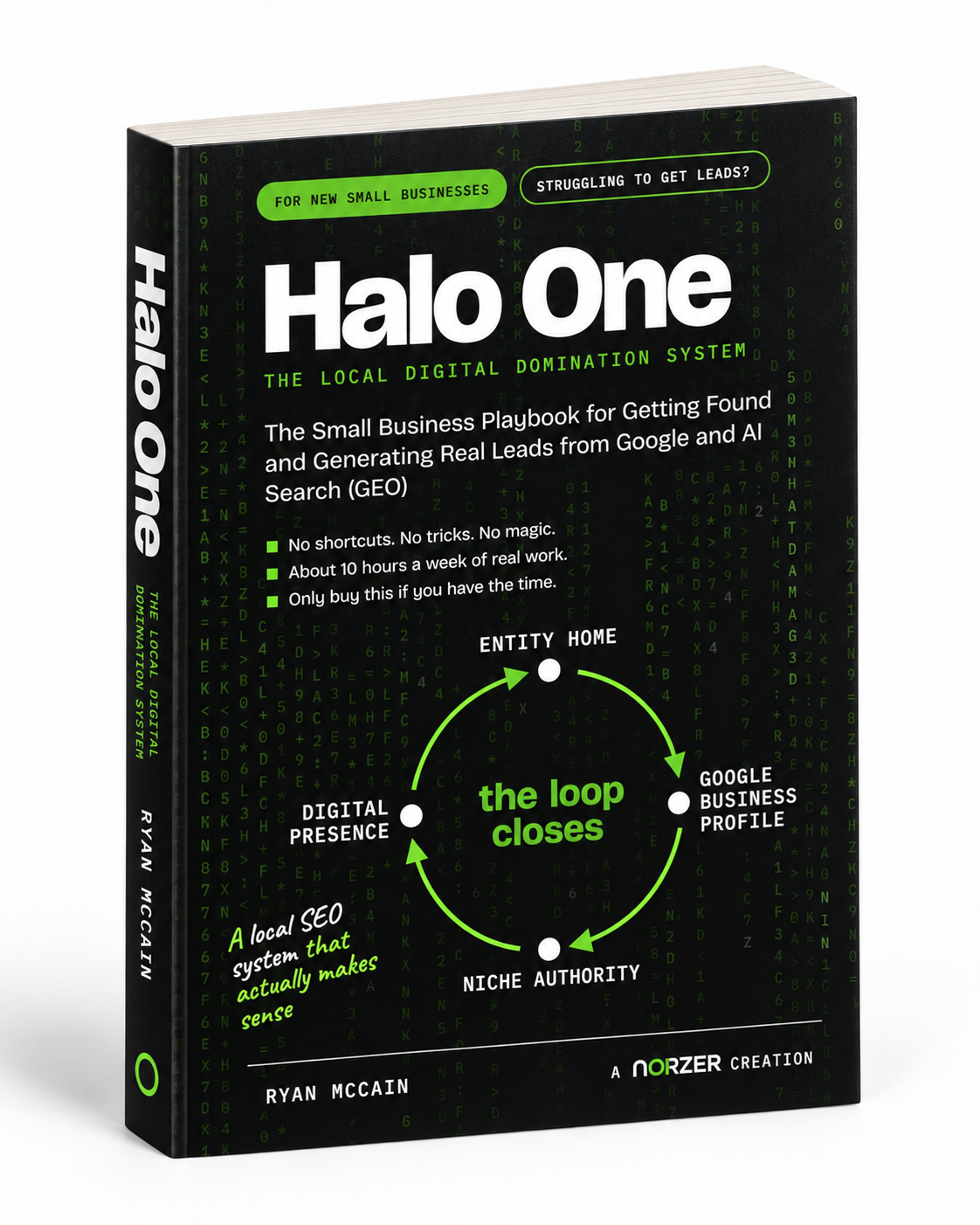
What Is the Best Local SEO Book?
There is no single best local SEO book. There is a best one for how you plan to work, and the honest...

Ryan McCain


Any screenshot monitor can tell you a page moved. The system that actually protects a client is the one around it: what gets captured, what gets judged, what gets remembered, what wakes you up and what stays quiet. Here is all of it, with the code.
A website can be 100% up and completely broken at the same time.
Uptime monitors answer one question: did the server respond? So they will happily report “all systems operational” for a page serving a PHP fatal error, a blank white screen, a “Briefly unavailable” page from the host, or a fake login form installed by someone who got into an admin account at 3am. We have watched client sites pass every uptime check on the same day their contact form was dead.
So we built the thing that looks at the site. It is called Void Monitor, it runs on a Hermes agent, and it checks every client site on a two-hourly schedule: a real browser screenshot, a pixel comparison against three baselines, a vision model that judges what changed, a set of text and page-fact checks that catch everything a photograph cannot, alert routing that posts every scan to Discord and emails only when a human is needed, and a watchdog that makes sure none of it ever fails quietly.
This is the whole system, in the order it runs, with the code.
cron (every 2 hours)
  wrapper: clean env, dependency probe, Chromium probe
    scan runs as its own systemd unit (a gateway restart cannot kill it)
      scan lock (one scan at a time)
        for each site, in order:
          1. availability      curl, IPv4 and IPv6, 10s timeout
          2. response time     warning only
          3. SSL certificate       days to expiry, warning only
          4. screenshot        Chromium 1440px, full page, lazy images forced
          5. pixel diff        previous + weekly + monthly baselines
          6. noise map         learn animations, exclude them from the score
          7. classifier        vision model, only if the diff clears the threshold
          8. copy canaries     the site's own phrases, from rendered text
          9. page text         lines added, removed, total shrink
         10. page facts        phones, tel: links, nav, canonical, robots
         11. forms + endpoints contact form rendered, login page, /wp-json/
         12. scripts + assets  third-party hosts, failed requests, error text
        per-site result: ok | animation | warning | problem | down | error | paused
      one Discord summary, email only if something needs a human
  watchdog (every 30 minutes): did the last scan actually finish?
Everything below is one of those boxes.
This is the part that gets attention, because “we take a picture of your website every two hours and compare it to the last one” is a sentence a business owner understands in one second.
The capture is a real browser, not a fetch. Chromium, 1440px viewport, full page, and lazy images forced to load first, because a below-fold image that never loads renders as a blank box and then gets reported as a broken asset on a healthy page.
The comparison is pixel-level and blunt on purpose. A pixel counts as changed when any RGB channel differs by more than ten, which ignores compression and antialiasing noise while catching a one-pixel-wide change in a phone number.
Three baselines, not one: the previous scan, a weekly capture and a monthly capture. The previous scan catches a defacement from the last two hours. The weekly and monthly captures catch the slow drift that a previous-scan-only comparison quietly accepts, where every individual change was small enough to roll forward.
#!/usr/bin/env python3
"""void-lite.py: one site, one baseline, one pixel diff. The smallest useful version of boxes 4 and 5."""
import argparse, asyncio
from pathlib import Path
import numpy as np
from PIL import Image
from playwright.async_api import async_playwright

CHANGE_THRESHOLD_PCT = 2.0   # differ this much before it is worth a look
PIXEL_SENSITIVITY = 10       # per-channel difference (0-255) that counts as a changed pixel


def slug(url: str) -> str:
    return "".join(c if c.isalnum() else "-" for c in url.split("//")[-1]).strip("-")


async def capture(url: str, out: Path) -> None:
    async with async_playwright() as pw:
        browser = await pw.chromium.launch(args=["--no-sandbox", "--disable-dev-shm-usage"])
        page = await browser.new_page(viewport={"width": 1440, "height": 900})
        # "domcontentloaded", not "networkidle": plenty of real sites (analytics, chat widgets) never
        # stop fetching, so networkidle times out on them. Wait a fixed 3s after load instead.
        await page.goto(url, wait_until="domcontentloaded", timeout=60000)
        await page.wait_for_timeout(3000)
        # force lazy images to load, or below-fold images render blank and look like broken assets
        await page.evaluate(
            "() => { for (const i of document.querySelectorAll('img[loading=lazy]')) i.loading = 'eager'; }"
        )
        await page.wait_for_timeout(2000)
        await page.screenshot(path=str(out), full_page=True)
        await browser.close()


def diff_pct(a: Path, b: Path) -> float:
    ia = np.asarray(Image.open(a).convert("RGB"), dtype=np.int16)
    ib = np.asarray(Image.open(b).convert("RGB"), dtype=np.int16)
    if ia.shape != ib.shape:                    # page grew or shrank: treat it as a change
        return 100.0
    changed = (np.abs(ia - ib).max(axis=2) > PIXEL_SENSITIVITY).sum()
    return 100.0 * changed / (ia.shape[0] * ia.shape[1])


async def main(site: str, data: Path) -> None:
    data.mkdir(parents=True, exist_ok=True)
    s = slug(site)
    current, baseline = data / f"{s}.current.png", data / f"{s}.baseline.png"

    await capture(site, current)
    if not baseline.exists():
        current.replace(baseline)
        print(f"{site}: baseline stored")
        return

    pct = diff_pct(baseline, current)
    print(f"{site}: {pct:.2f}% of pixels changed")
    if pct >= CHANGE_THRESHOLD_PCT:
        print("  -> over threshold: hand this to your classifier")
    else:
        baseline.write_bytes(current.read_bytes())   # quiet change: roll the baseline forward


if __name__ == "__main__":
    ap = argparse.ArgumentParser()
    ap.add_argument("--site", required=True)
    ap.add_argument("--data", default="./void-data")
    a = ap.parse_args()
    asyncio.run(main(a.site, Path(a.data)))
pip install playwright numpy pillow
python -m playwright install chromium
python void-lite.py --site https://your-site.com --data ./void-dataRun it twice on a real site and you get a number: around 0.0% on a static page, 0.49% on a page with a rotating testimonial (ours, measured while writing this). That number is the heartbeat of the system.
A raw diff is unusable, and this is the box that fixes it. A rotating testimonial slider is a several percent diff on every single load, so a naive monitor pages you every two hours until you turn it off.
So the noise learns itself. Every scan updates a per-pixel running average of how often that pixel changes, stored at quarter resolution:
# EMA of changed pixels, per scan, then mask the zones that keep changing
ALPHA, THRESHOLD, MIN_RUNS = 0.3, 0.6, 3

changed = (diff > PIXEL_SENSITIVITY).astype("float32")   # 1 where a pixel moved
noise = noise * (1 - ALPHA) + changed * ALPHA            # noise: the persisted EMA from last scan
runs += 1

if runs >= MIN_RUNS:
    ignore = noise >= THRESHOLD          # this zone animates; exclude it from the score
    score = changed[~ignore].mean() * 100
Three scans in, a client’s carousel stops being a problem, while a genuine change anywhere else on the page still triggers. Two details matter: the map is per site, and it is deleted whenever the design changes, because the coordinates belong to the old layout. We also store it by block maximum rather than block mean, because averaging erases a thin ticker or a row of slider dots and you lose exactly the zone you were trying to mask.
Pixels say something moved. Only a model can say whether it matters. Before and after images go out, downscaled to 800px wide JPEG, and the answer comes back structured:
PROMPT = """You compare two screenshots of the same website (before, after).
Decide whether the change is a problem a human must be told about.

Not a problem: cookie banners, chat widgets, popups, image galleries and
carousels, seasonal banners, ordinary content updates, animation rendering.
Always a problem: fake or unexpected login forms, credential harvesting,
defaced or blank pages, error pages, injected spam, removed contact details.

Answer with JSON only:
{"is_problem": bool, "severity": "low|medium|high", "category": str,
 "description": "what changed, in one sentence"}"""

resp = client.chat.completions.create(
    model="google/gemini-2.5-flash",     # or deepseek-vl2, glm-4v, claude, gpt-4o-mini
    messages=[{"role": "user", "content": [
        {"type": "text", "text": PROMPT},
        {"type": "image_url", "image_url": {"url": before_jpeg_data_url}},
        {"type": "image_url", "image_url": {"url": after_jpeg_data_url}},
    ]}],
    response_format={"type": "json_object"},
    timeout=60,
)
Four rules turn that from a demo into something you can leave running:
Categories decide, not descriptions. A model will call a real injected login page a “login form” in its description, and it will call a cookie banner an “overlay”. So the code only downgrades a flagged problem to benign when the returned category is one of the known benign ones: popup, cookie banner, chat widget, gallery, carousel, animation, seasonal banner. Never substring-match the description, and let danger words win.
When a large change is called harmless, ask a second time. Over 10% of a page changing while the model shrugs is exactly what an injected page looks like when it gets waved through as a cookie banner, so both calls have to agree or it alerts. We refused to weaken this to reduce false alarms, and we accept the tradeoff the other way: a rare false “phishing” verdict on a benign overlay is fine, missing a real credential form is not.
Handle the API failing. An empty or unparseable answer means the model failed, not that the page is fine. It falls back to a second model, and if that also fails the result is “unverified”, which pages a human, because we want to know when our own system breaks.
Test the model on a deliberately broken page before you trust it. We ran the same injected-spam case through two vision models: one missed it five times out of five, the other caught it every time. The paid options are the API models above; the free path is a local vision model on Ollama (LLaVA, MiniCPM-V, Qwen2.5-VL), which is slower and less accurate on exactly this task.
Most damage to a website is invisible in a photograph. A script appears in the footer and renders nothing. A phone number changes. A form stops rendering while the page still looks perfect. This lane is the reason our monitor catches things a screenshot-only tool never will.
import re
from urllib.parse import urlparse

# A canary is a phrase of the client's own copy that must still be on the page.
CANARY = "family owned tree service in Beeville, TX"

# Unambiguous server-side failure strings. "coming soon" and "under construction" are deliberately NOT
# here: they are real WordPress maintenance markers, but they are also ordinary marketing copy.
ERROR_RE = re.compile(
    r"(Fatal error|Parse error|Warning:|Notice:|Deprecated:|critical error on this website|"
    r"Error establishing a database connection|Briefly unavailable|scheduled maintenance)", re.I)

PHONE_RE = re.compile(r"(?<!\d)(?:\+?1[\s.\-]?)?\(?(\d{3})\)?[\s.\-]?(\d{3})[\s.\-]?(\d{4})(?!\d)")
HTML_SCRIPT_RE = re.compile(r'<script[^>]+src=["\']([^"\']+)["\']', re.I)
HTML_TEL_RE = re.compile(r'href=["\'](tel:[^"\']+)["\']', re.I)


def normalised_phones(text: str) -> list[str]:
    """A phone number is the same number however it is punctuated, so compare digits only."""
    seen = set()
    for m in PHONE_RE.finditer(text):
        seen.add("".join(m.groups()))          # 10 digits, no punctuation
    return sorted(seen)


def html_facts(html: str) -> dict:
    """The facts an HTML fetch can still tell you after the page has rendered."""
    return {
        "script_hosts": sorted({urlparse(u).netloc for u in HTML_SCRIPT_RE.findall(html) if u}),
        "tel_links": sorted(set(HTML_TEL_RE.findall(html))),
    }


def strip_tags(html: str) -> str:
    html = re.sub(r"(?s)<(script|style).*?</\1>", " ", html)
    return re.sub(r"\s+", " ", re.sub(r"<[^>]+>", " ", html))
Copy canaries. Each site has a phrase of its own real copy pinned in config, something a business would never delete by accident. We check the text the page renders, not the HTML source, because a phrase split across a heading and a paragraph is present for a visitor and absent in the markup. When a canary disappears we say so, and it is usually a redesign, which is why accepting a new design means re-picking the phrase rather than only resetting the picture.
Page text. We keep the page’s visible text and compare it to the previous scan: lines added, lines removed, and total shrink. A page that loses more than half its text is an error page or a half-loaded template.
Pinned facts, not just deltas. This distinction is what makes the lane useful. A delta-only check accepts a broken fact as the new normal after one scan. Pinned values keep flagging while the thing stays broken:
Third-party script hosts. The check we did not appreciate until it fired this week: the set of external hosts the page loads scripts from. A client site gained a host on a page whose pixels were a 0.16% match to the previous capture. The pictures were identical and the page had changed, and a new script host is exactly the shape of an injection.
Point the code above at a page today and it returns a script host list, a tel: link, the phone number as ten digits and no error text. Run it on a schedule and compare.
These fail without touching the design, and each one is close to a line of code:
The monitor is only as good as its memory. Per site it stores:
And one config file. Adding a client is an entry, not a script:
{
  "name": "Example Tree Service",
  "url": "https://example.com",
  "change_threshold_pct": 2.0,
  "keywords": ["family owned tree service in Beeville, TX"],
  "enabled": true,
  "ignore_regions": [[0, 0, 1440, 120]],
  "skip_hours": [3],
  "notes": "map widget animates; ignored the top banner region"
}
Only name and url are required. enabled: false pauses a site without deleting anything, and it still shows as paused in the summary and never emails. ignore_regions excludes pixel rectangles from the diff, and because a zone a human declared ignorable must not become an “animation” zone that then hides a real change in the same place, those regions are excluded from the noise map too. skip_hours covers a client’s maintenance window. The config is validated: an unknown key is dropped with a warning naming the closest match, because a typo like change_threshold otherwise looks like it worked while the site keeps alerting at the default.
The whole system is built around one principle: an alert that arrives for everything gets ignored. So the outputs are ranked, and the ranking is enforced in code.
Then there is the judgement call the system cannot make alone: a client redesign. The diff is huge and correct. The right answer is a human saying “that change is ours”, which triggers four things: re-baseline the pixels, re-pin the expected facts, re-pick the copy canary, and clear the learned animation map.
Four operational lessons, each one learned by breaking it.
A dead monitor looks exactly like a quiet one. Our first month had a scan die at import while the cron job reported success every two hours, because the wrapper exited 0 and printed nothing. Five scans never ran and nothing said so. So: log a line only a completed scan can produce, and run a watchdog against it.
# watchdog, every 30 minutes: did the last scan actually finish?
lines = open("/path/monitor.log").readlines()[-400:]
started = last_index_of(lines, "Checking:")        # newest site check
finished = last_index_of(lines, "Summary sent:")   # newest completed scan
if finished < started and not scan_lock_held():
    alert("scan started and never finished")
if "ERROR scan failed with exit code" in "".join(lines[-50:]):
    alert("scan wrapper reported a failure")
The lock check matters: a scan writes as it goes and can legitimately run for an hour, so a naive “nothing was logged recently” test fires in the middle of a healthy scan.
Run the scan as its own systemd unit, not a background shell. systemd-run –unit=site-monitor-scan-$(date +%s) puts the scan in its own cgroup, so restarting your agent gateway does not kill a scan that is three sites in. Our version of that mistake killed a scan mid-run, and because the wrapper never got to log anything, the failure was invisible.
Keep the monitor on its own interpreter and its own environment. Ours runs from a dedicated virtualenv with PYTHONPATH cleared, because a stray session environment was shadowing the monitor’s own packages: a half-installed image library imported fine and then crashed when it was used, and the package manager thought everything was already installed. A monitor that shares an environment with your other agents inherits their breakage.
Pace your own scanner. This one cost us a week. A full-page load of a modern WordPress site pulls 80 to 160 requests once images, scripts and fonts are counted, and a handful of sites scanned every couple of hours is thousands of requests from one IP. Our own address got rate limited as a flood by our host’s CDN, and every “outage” we chased for a week was our own scanner being blocked, while IPv4 from the same box answered in a tenth of a second. Put every browser request through a token bucket and space the sites out:
class TokenBucket:                      # shared by every page in the process
    def __init__(self, rate=3.0, burst=6):
        self.rate, self.burst = rate, burst
        self.tokens, self.updated = burst, time.monotonic()

    async def acquire(self):
        while True:
            async with self.lock:
                now = time.monotonic()
                self.tokens = min(self.burst, self.tokens + (now - self.updated) * self.rate)
                self.updated = now
                if self.tokens >= 1:
                    self.tokens -= 1
                    return
                wait = (1 - self.tokens) / self.rate
            await asyncio.sleep(max(wait, 0.005))

# in Playwright, hold each request until the bucket releases it
async def throttle(route, request):
    await bucket.acquire()
    await route.continue_()

await page.route("**/*", throttle)
At three requests per second with a pause between sites, a full scan went from ten minutes to under an hour, and our average request rate dropped to about 1.2 per second. Nobody at the host notices us now, which is the point.
You do not have to write the whole thing. Hermes agents run on cron, have a terminal, and can build this in an afternoon. Paste this in and let it work:
Build me a website monitor like Void Monitor, and run it on this box. I want the
whole system, not just screenshots.

Scope: a JSON config file of sites: name, url, change_threshold_pct, keywords,
and optional enabled, ignore_regions (pixel rectangles to exclude), skip_hours
and notes. Validate the config and warn on unknown keys. One scan checks every
site in order, and the scan takes a lock so two scans can never overlap.

Per site, per scan:
1. Availability: curl with --max-time 10, following redirects, IPv4 and IPv6
   measured separately. If it fails, re-check 3 times, 2 seconds apart, in the
   background while the rest of the scan continues. Only 3 consecutive failures
   is an outage. Record response time and days left on the TLS certificate as
   warnings, never alerts.
2. Screenshot with Playwright, Chromium, viewport 1440x900, full page, using
   domcontentloaded plus a 3s wait (not networkidle: real sites never go idle).
   Force img[loading=lazy] to eager and wait 2s before capturing.
3. Pixel diff against the previous, weekly and monthly baselines: a pixel counts
   as changed when any RGB channel differs by more than 10.
4. Noise map: per-site exponential moving average (alpha 0.3) of changed pixels,
   stored at quarter resolution by block maximum. After 3 runs, exclude zones
   above 0.6 from the score. Delete the map when a design changes.
5. When the changed percentage clears 2%, send before and after images (800px
   wide JPEG) to a vision model and ask for JSON:
   {is_problem, severity, category, description}. Decide on the category, never
   on words in the description. Popups, cookie banners, chat widgets, galleries,
   carousels, seasonal banners, content updates and animation are NOT problems.
   Fake login forms, credential harvesting, defaced or blank pages, error pages,
   injected spam and removed contact details ALWAYS are. If the change is over
   10% of the page and the model says it is not a problem, ask a second time and
   require both answers to agree. If the model fails or returns nothing usable,
   mark the site unverified and tell me: do not report it as fine.
6. Copy canaries: one or two short phrases of the site's own real copy, checked as
   exact text from the rendered page, not the HTML source.
7. Page text: keep the visible text, compare lines added and removed and total
   length against the previous scan, and flag a page that lost more than half.
8. Pinned page facts, compared to both the previous scan and the pinned values:
   phone numbers as a normalised set of digits, tel: links, visible nav link count
   measured after layout, canonical URL and robots meta.
9. Contact form: it must actually render, with real input fields, and search-only
   forms do not count. Check the login page and /wp-json/ as well: a 200 on
   wp-json proves the CMS is alive, and a 403 on wp-login.php plus a 404 on the
   old slug means the login moved, not that the site was defaced.
10. Third-party script hosts: keep the set of external hosts the page loads scripts
    from and flag a new one, because that is invisible in a screenshot.
11. Failed resources: record every failed request with its reason, exclude ones the
    page cancelled itself (ERR_ABORTED, ERR_BLOCKED_BY_CLIENT), keep DNS, refused,
    reset, timeout and certificate failures. Three new first-party failures is a
    broken page.
12. Error text in the rendered page: PHP fatal and parse errors, "Error
    establishing a database connection", "Briefly unavailable", "scheduled
    maintenance". Do not match "coming soon" or "under construction".

State per site: three baselines plus the current capture, the noise map, the pinned
facts, the previous scan facts, and an acknowledgement with a note so a change we
accepted stops alerting.

Pacing: all browser requests go through a token bucket of 3 requests per second
(page.route to hold each request), and pause 15s between sites. I would rather a
slow scan than get my IP rate limited.

Alert routing: one summary per scan to my Discord channel, with counts for ok,
unverified, problems, animations, errors, paused and health flags. Email only for
down, error, unverified or a real problem, never for warnings like a slow response,
an expiring certificate, a missing canary or an animation. Colour the summary red
only when something needs a human. Never drop a site from the report: paused,
unreachable and unverified are three different states.

Operations: log a "Summary sent:" line with those counts on every completed scan.
Add a watchdog cron every 30 minutes that alerts if the log has no such line since
the last scan started, or if the scan wrote an error marker, and that stays quiet
while a scan holds the lock. Run each scan as its own transient systemd unit, not a
background shell, so a gateway restart cannot kill it mid-scan. Run the scan from a
dedicated virtualenv with PYTHONPATH cleared, so a stray environment cannot shadow
the monitor's own packages.

Test it before you tell me it works: run it once on a real site and show me the
baseline capture, then break something on the page yourself in each of these ways
(change the phone number, remove a canary phrase, add a script tag, empty the body,
return a 500, swap in a maintenance page) and show me the right alert for each.
Also confirm that an unmodified page stays silent. Do not report it working until
I have seen the alerts arrive and the quiet path stay quiet.
That last paragraph is the part most people skip, and it is the part that matters. A monitor you have never seen fire is a monitor you cannot trust. We test ours by mutating a page fifteen different ways (blank body, 500 error, maintenance page, PHP warning, a redirect, a spam footer, a phone swap, removed navigation) and asserting that the right alert comes out and that a clean site stays silent.
An uptime monitor protects your reputation with your hosting provider. This protects it with your customers, because it is the one thing watching the page they actually see. Ours has caught a host maintenance page, a broken contact form, a WordPress plugin fatal, a phone number that changed, and a script that appeared on a page whose pixels had not moved at all.
If your current provider can tell you the site answered but not what it looked like, what it said, or what is in it, that is worth a conversation.
If you want something like this running on your small business site, or you need help generating leads and local SEO for your small business, that is the work Norzer does. We build and run the whole digital presence for one local business at a time: the Entity Home website, the Google Business Profile, directory listings, reviews, and AI search visibility, with a monitoring system like this one watching all of it.
Start with a free consultation. Tell us what you sell and where you serve, and we will show you where you stand and what we would do about it.
Norzer works with small businesses in Baton Rouge and nationwide, one business per niche per zip code. If your current provider can tell you the site answered but not what it looked like, what it said, or what is in it, that is the conversation to have.