
How to Choose the Best Louisiana SEO Agency for Your Small Business
There is no single best SEO agency in Louisiana. There is a best one for a business your size, and s...

Ryan McCain

The memory behind your Hermes agent is two small text files with hard caps, and a snapshot that never updates while you work. Once you know where each piece lives, most of “it forgot what I told it” goes away.
Hermes Agent memory is two plain text files on your own machine. MEMORY.md holds the agent’s notes and stops at 2,200 characters. USER.md holds your profile and stops at 1,375. Both get pasted into the system prompt when a session starts, and neither changes until the next session. Everything else your agent seems to remember lives somewhere else: in skills, in a searchable archive of past conversations, or in a memory provider you installed on purpose.
That is the whole memory system, and it is why an AI agent that handled a client’s account well on Monday can ask for their name on Friday. The model is almost never the cause. The cause is something you can see and fix in an afternoon.
You brought an agent in to take work off your plate. Then it forgot the client’s name, repeated a tone you told it to drop, or answered a question you settled last Tuesday. Now you are managing the thing that was meant to save you time. Norzer runs agents for its own agency work, and this is what a forgetful one costs.
A bigger model fixes none of that. What fixes it is deciding, in writing, what your agent carries with it.
Do this first. Everything after it explains why it works.
1. Read what is there. Open both files. Delete anything wrong, because a wrong entry is worse than a missing one. The agent will act on it.
cat ~/.hermes/memories/MEMORY.md
cat ~/.hermes/memories/USER.md
2. Write down the five things your agent should always know. What you sell, who you serve, how you price, how you sound, and what it must never do. Ask Hermes to save them with the exact words “use the memory tool to save”, then open the file and look. If the entries are not there, the model told you what you wanted to hear.
3. Check which profile you are on. Every profile keeps its own files, so a rule saved in one is missing in the other.
hermes profile list4. Start a fresh session. A fact saved today shows up in the next session, not the one you are watching. Type /new.
5. Back the file up before you change anything big.
cp ~/.hermes/memories/MEMORY.md ~/MEMORY.backupThat is about fifteen minutes, and it fixes most of what people report. If your agent still forgets, work down the troubleshooting list further on.
An entry should read like a one-line brief for a new hire: specific, short, with the reason attached. Here are three from Norzer’s own files, trimmed.
And here is the difference between an entry that earns its characters and one that does not. These two are made up, for a fictional client.
The strong one carries a client, a fact and the reason in one line. The weak one gives the agent nothing to act on.

Four places, and only one rides along on every prompt.
The two files. Instant and always there. The docs put the pair at roughly 1,300 tokens, which you pay on every prompt to keep them there. That cost is why this memory layer is small. On Norzer’s main profile, MEMORY.md is 2,172 of its 2,200 characters and USER.md is 1,311 of 1,375. A few thousand characters is the entire long-term memory of the system that runs its client work.
Skills. A skill is a written procedure that loads only when it is relevant, so it costs nothing until you need it. A workflow you always run before a client sees a draft, like a round of edits, belongs in a skill, not in an entry competing for 2,200 characters.
Session search. Every conversation is stored in a local SQLite database with full-text search, which makes it retrieval on demand. A lookup returns the real messages, with no summarising pass and no extra model call, and the docs put one at about twenty milliseconds. So when a client asks what you decided three weeks ago, the instruction is “search my past sessions”, not “try to remember”. It is free and instant, but only if the agent runs it.
hermes sessions listA memory provider. Optional, and covered below.
Two more files sit alongside these. Who the agent is, its tone and style, lives in its identity file, SOUL.md, at the top of the prompt. Rules for one folder or one job live in a project file, AGENTS.md, loaded from that folder. Tone that should follow the agent everywhere goes in the first. Rules for one client or one job go in the second.
The rule that confuses everybody. The two files are read once, at the start of a session, and pasted into the prompt as a frozen snapshot. That is deliberate. It is why your bill stays sane, because a cached prompt only stays cached if nothing in front of it moves, which is how prompt caching works everywhere. It also means a fact the agent saves mid-chat hits the disk immediately but stays invisible to the chat you are in. The agent’s own tool replies show the live state, so it can see what it wrote. Its prompt cannot. It has happened at Norzer: a fact saved, and the agent blind to it until the next session. Knowing this rule saves you an hour of blaming the model for behaving as designed.
None of this is a Hermes quirk. The research that started the field, MemGPT, made the same point back in 2023: a context window is not memory.
This is the complaint Norzer hears most, and it nearly always has one of these causes.
It never saved anything. Memory only exists if the model calls the memory tool. “I have added that to my memory” is a sentence, not a save. Open the file. Small local models do this often.
The save is waiting for your yes. If write approval is on, anything from outside the command line is held in a queue and never reaches the file until you approve it.
/memory pending
/memory approve all
You are reading a different memory. Each profile has its own files, so your laptop and a chat bot on another profile do not share notes.
Memory is switched off. Turn it off in the config and the tool disappears from the agent’s list. No instruction brings it back, and an agent that promises to remember is promising something it cannot do.
The snapshot is frozen. See above. Start a new session.
The chat never ended. On Discord, Telegram and the rest, one chat is one continuous session that survives restarts and reboots. Norzer’s chats run for weeks, and one has been going since September 28. Memory has no reason to pay off in a session that never ends, so start fresh when a job is done.
One more for the skip list: an environment variable is not memory. Keys and settings live in the config, not in these files.
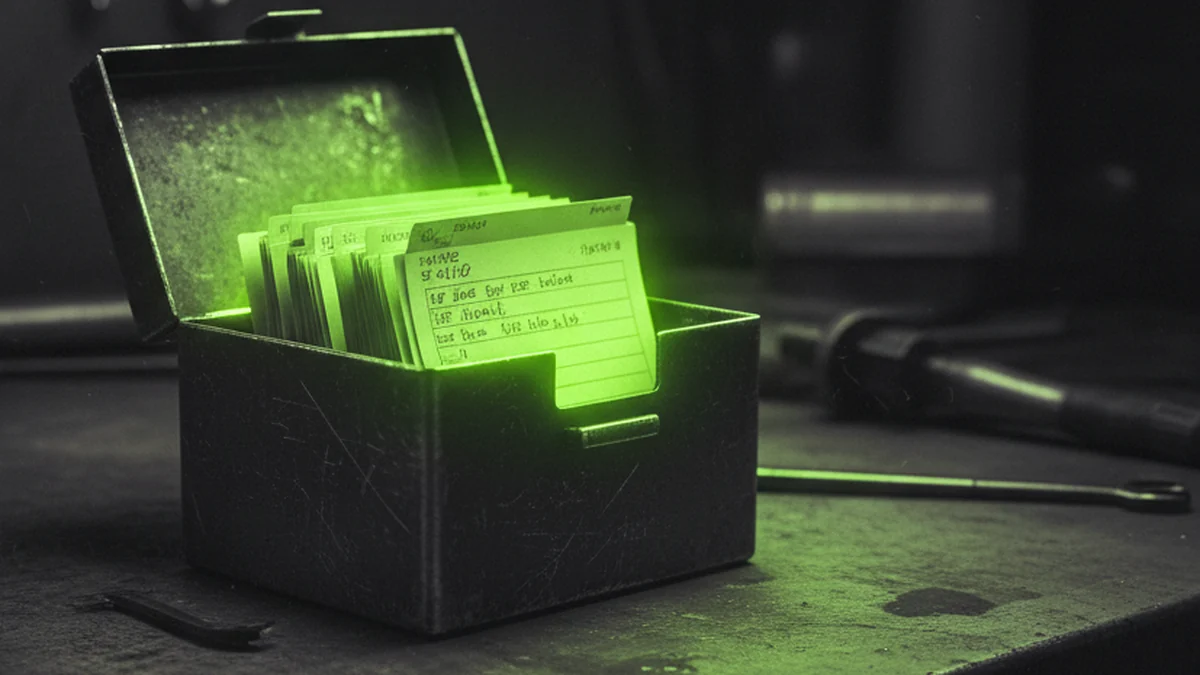
A write that would push past the cap fails and tells you exactly how far over it went, so the file does not shed entries quietly. You fix it in one batch: shorten or remove stale entries and add the new one in the same call. The system will not choose which fact to lose. That decision is yours, and it tends to arrive in the middle of a job.
Norzer has had a write refused with the exact overage. Merging nine entries into six in one batch freed about 200 characters and lost nothing. Fold three narrow entries about one client into one entry that carries the whole picture, and you get the characters back for what is new.
If you run an agency, this is the section that matters. One client’s facts leaking into another client’s draft is the failure that costs you the account.
Built-in memory is scoped to the profile. A profile reads its own memory files, so a separate profile per client is the wall the docs let you build. You create one with the clone flag, which copies your config, keys, identity file and skills.
hermes profile create acme --cloneThe copy list in the command’s help covers those four things and does not mention memory, so open the new profile’s files and check they are empty before you trust it.
Norzer does both. Most of its agents are split by job, like hosting, ads, email and brand, and they keep client detail in per-client files. For one client, Norzer runs a profile of its own, with its own memory files and its own Honcho workspace. If you need a hard wall between clients, that is the shape to copy.
With a provider on, the boundary moves. Honcho’s docs describe a workspace as the shared environment that every profile inside it can see, so a client’s profile needs a workspace of its own, set in that profile’s settings file. Run a recall test before you rely on the wall: ask the agent for a fact that belongs to another client and check that it comes back empty.
If a client asks where their information lives, you can answer plainly. With built-in memory it is a text file on your machine. With a cloud provider it is on the vendor’s servers, and some contracts will cover that.
Two files and a searchable archive get most businesses a long way. The next step is a memory provider, and it is worth knowing what you get before you install one.
An external provider runs alongside the two files, never instead of them, and only one can be active at a time. Hermes lists two built in, RetainDB and ByteRover, and the docs say both leave core on October 15, 2026, with standalone repositories nobody maintains. The Hermes plugin catalog carries six more: Honcho, Hindsight, Supermemory, Mem0, OpenViking and Holographic. Check that an external provider is still looked after before you give it your business history.
What you get is what two text files cannot do: semantic search, automatic extraction of facts from your conversations, and memory that persists across sessions and across agents. Hermes does the plumbing. It puts what the provider knows into the prompt, pulls relevant memories in before each turn, syncs each turn back after the reply, extracts memories when a session ends, and mirrors every built-in write outward. Your two files carry on exactly as before.
hermes memory setup
hermes memory status
hermes plugins install <name>There is a real free path. The two files cost nothing. Holographic and OpenViking run on your own machine with no licence fee. Honcho, Mem0, Hindsight, Supermemory, ByteRover and Memori each have a cloud tier and a self-hosted mode, which is the free or paid split in the docs’ own table. RetainDB is cloud only, and the docs list it at $20 a month.
The catch with free is that you run it. Norzer runs its provider on its own machine, with its own database behind a local address, which is why nothing leaves the box. Running it is real work, and Norzer started with the two files and moved only when it had a reason. A cloud provider means no server and a monthly bill, and also that every recall is an API call and your client facts sit on someone else’s disk.
Treat vendor numbers carefully. The benchmarks a provider quotes were measured on someone else’s conversations, not yours. If it says it scores well, ask which benchmark and on what.
You do not install this by hand. The three commands are the same ones from above, with the plugin name filled in.
hermes plugins install honcho
hermes memory setup
hermes memory status
The setup wizard asks the question that matters: cloud or self-hosted. Cloud wants an account and an API key from the vendor, or a device-code login if the machine has no browser. Self-hosted points at a server you run. So tell your agent what you want, and insist on proof:
Install Honcho as my Hermes memory provider, self-hosted.
1. Run hermes plugins install honcho, then hermes memory setup and select honcho.
2. Point it at our local server rather than the cloud, and show me the settings file it wrote.
3. Restart and show me the output of hermes memory status.
4. Save one test conclusion, search for it, and show me the result, so I know recall works before you carry on.
The last step is the one everybody skips, and it is why a provider can sit installed and useless for a month.
This is Norzer’s setup, not a recommendation.
The file does not shed entries quietly, but other things around it can.
hermes memory reset --target memory deletes the file. The copy you take first is the only copy.Does Hermes Agent have memory by default?
Yes. It is on out of the box, with 2,200 characters for the notes file and 1,375 for your profile. Either can be switched off in the config, but nothing needs installing to start.
Where is Hermes Agent memory stored?
In two markdown files in your Hermes home, at ~/.hermes/memories/. Each profile keeps its own.
How do I clear Hermes Agent memory?
Reset the store you want emptied and pass the target, so you only wipe what you meant to. It deletes the file rather than archiving it, so copy it somewhere first.
hermes memory reset --target memoryIs Hermes Agent memory safe?
It is as safe as the machine it sits on, with two protections built in. Entries are scanned for injection and exfiltration patterns before they are accepted, and writes can be gated so nothing lands without your approval. A cloud provider changes the answer, because your memory then leaves your machine.
Can I keep one client’s memory separate from another’s?
Yes. Memory is scoped per profile, so a profile per client keeps their notes apart. Check the new profile’s files before you use it.
Is there a free memory provider for Hermes?
Yes. The two files cost nothing, and Holographic and OpenViking run locally with no licence fee. Honcho, Mem0, Hindsight, Supermemory, ByteRover and Memori each offer a self-hosted mode alongside a paid cloud tier, and RetainDB is cloud only.
How do I install Honcho for Hermes?
Run hermes plugins install honcho, then hermes memory setup and pick it as the provider, then check hermes memory status. Cloud needs an API key, or a device-code login on a machine with no browser. Self-hosted points at your own server, and your agent can run the whole sequence for you.
Does Hermes Agent memory cost anything to run?
The built-in memory is free. It is two text files on your own machine, with no service in the middle and no account. An external provider is the part that can cost money: Honcho, Mem0, Hindsight, Supermemory, ByteRover and Memori each offer a self-hosted mode next to a paid cloud tier, Holographic and OpenViking run locally at no licence fee, and RetainDB is cloud only at $20 a month.
What happens to my memory when I switch models?
Nothing is lost and nothing moves. Memory is two files in your Hermes home that get pasted into the system prompt when a session starts, and they are not tied to any model, so the same entries load whichever model you point it at. What changes is which model writes them. The Hermes docs warn that small local models, roughly under 30 billion parameters, and models with weak tool calling often claim a save they never made. Your existing entries still load, but new ones may stop appearing, so check the file after a setup change or use a stronger model for saving.
Can two agents share one memory file?
No, and the Hermes docs say so directly: do not point two agent processes at the same Hermes home directory. Memory writes are automatic and load back at session start, so two writers sharing one home compound each other’s entries into state that neither agent nor you wrote. Give each agent its own profile, which is how memory is scoped by design. If two agents genuinely need the same memory, the docs point at an external memory provider rather than a shared file.
How big can a skill be, and does it count against memory?
Skills do not count against memory at all. They are separate files under your skills directory, loaded on demand, and the Hermes docs make the point that a skill loads only when it is relevant and does not compete for the 2,200-character budget. That is why a recurring procedure belongs in a skill rather than a memory entry. Size is not the constraint either: a skill can keep a lean main file and put the depth in reference files that load only when a question needs them.
If I delete a session, does the memory from it disappear?
No. Memory and sessions are separate stores. When the agent saves something it writes it into MEMORY.md or USER.md on disk straight away, and deleting or pruning a session does not touch those files. What you lose by deleting a session is the transcript itself, which also means you lose the ability to search that conversation later. The loss is the history, not the memory.
Hermes Agent’s own documentation is the authority for every number and command here, and Norzer checked the local figures by running them on its own machine. Every link below was live when this was written.
Documentation
Memory providers mentioned
Research
Every AI tool forgets, and most forget the things you told them twice. A working agent is a memory decision more than a model decision: give it the few facts that matter, write down your process, and check the file instead of assuming.
Norzer helps small businesses across the United States get found by Google and by AI, from its home base in Baton Rouge to anywhere in the country. Norzer works primarily with owner-operated businesses, and it is open to working with other agencies too. If you run an agency and want to talk about working together, or you run a small business and want to see how findable you are right now, that is a conversation, not a promise.
Reach out today!
Be Different! 👽